
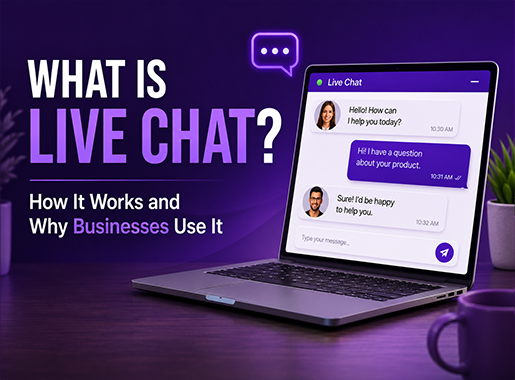
Did you know that over 40% of online shoppers expect a website to have a little chat bubble waiting for them? In layman’s terms, it’s what we call a Live Chat.
A Live chat is a real-time digital communication tool that lets website visitors talk with customer support agents or AI chatbots directly on a company’s webpage.
It works through a small chat window, usually located in the bottom corner of the screen (either left or right) depending on which platform or geographical location you’re in.
Businesses mostly use this software to answer questions for their customers, solve their technical problems, and guide users through a purchase process.
Let’s learn more about them.
What Is Live Chat?
Live chat is a dedicated software application that connects businesses directly with their website visitors. It’s more than just a simple widget box on your website. The purpose of a live chat is to provide instant help to customers without having them to leave a specific page, contact a phone number or send an email to the company support & await reply.
In customer service, live chat works as the front line for customer support.
Assume, you’re an online shopper, and you want to learn about shipping times before making a purchase, or maybe you’re a software user, and you are stuck with a specific configuration.
You need help finding the best solution.
A custom online live chat support connects you (the user) with a person or bot who can instantly solve the problem within minutes.
There are different usage of live chat for different departments. Sales teams might use website live chat to qualify leads and offer product recommendations.
Whereas, support teams may use it to troubleshoot and find solutions to errors.
Data collected from different Live Chat support setups can help businesses to better analyze customer behavior and implement solutions clearly.
Now you must be wondering how live chat works… let’s check out.
How Does Live Chat Work?
The process of using customer support live chat follows a specific sequence of events for both the user and the business. Here is how website live chat works in practice:
- Visitor opens the widget: A user clicks the chat icon on the website. A small conversation window opens. The user types their question and hits send.
- Agent receives a notification: On the backend, the live chat software alerts an available support agent. A chime sounds or a visual notification appears on the agent’s dashboard.
- The conversation begins: The agent reads the initial message and replies in real-time. They can share links, upload screenshots, or ask clarifying questions.
- A ticket is created: If the agent cannot solve the problem immediately, the software converts the chat into a support ticket. This routes the issue to a specialized team for further investigation.
- Resolution and rating: Once the agent solves the issue, the chat ends. The system often prompts the user to leave a satisfaction rating or written feedback.
What Is a Live Chat Widget?
A live chat widget is the visible user interface element that sits on a website. It is the bridge between the visitor’s browser and the company’s customer service software. Website chat widget software determines how this box looks, how it behaves, and when it appears.
For example, a live chat widget might start as a simple floating bubble with a question mark icon. When a visitor clicks it, it expands into a full text interface showing the agent’s name and photo. Many businesses configure live chat for websites to open automatically. A visitor might read a pricing page for 30 seconds before the widget pops up to ask, “Do you have any questions about our subscription plans?”
Why Businesses Use Live Chat?
Companies adopt business chat support software because customers expect fast answers. According to Tidio’s Customer Experience Statistics Report (2026), 41% of customers prefer live chat over phone or email communication. How businesses use live chat depends largely on their industry.
SaaS Companies Software-as-a-Service providers use live chat to reduce churn. When a user cannot figure out how to configure a new dashboard, they get frustrated. Immediate help from an agent keeps that user moving forward. Support teams in SaaS often share help center articles directly through the chat window.
Ecommerce Businesses Online stores use customer support live chat to prevent cart abandonment. A buyer might hesitate because they are unsure about the return policy. A quick conversation removes that hesitation. Retailers often program their widgets to trigger when a user pauses on the checkout page.
Service Businesses Agencies, law firms, and home service providers use live chat primarily for lead generation. Visitors ask about pricing or availability. Compared to static options, exploring live chat vs contact forms shows that a chat agent collects the visitor’s contact information much faster and naturally guides them to schedule an appointment.
The Benefits of Live Chat
The benefits of live chat are clear: adding a real-time communication channel creates measurable improvements for a business. Companies invest in this technology to achieve specific operational goals.
Faster Responses Data from LiveChat Customer Service Report shows the global average first response time for live chat is just 35 seconds. Customers get their answers almost immediately. Phone support often requires navigating voice menus and sitting on hold. Email replies can take hours or days.
Better Customer Experience Customers appreciate convenience. They can ask a question while continuing to browse the website in another tab. This low-effort interaction improves the overall customer experience. LiveChat reports that the global average customer satisfaction (CSAT) score for live chat interactions is 64.2%, with top-performing teams scoring much higher.
Higher Conversions Live chat directly impacts sales. Research by Invesp indicates that adding live chat to a website can increase website conversions by an average of 20%. Visitors who engage in a chat are 2.8 times more likely to make a purchase than those who do not.
Reduced Support Costs Phone agents can only speak to one customer at a time. Chat agents routinely handle three or four conversations simultaneously. This concurrency allows a smaller team to manage a larger volume of inquiries.
Improved Engagement Website visitor engagement rises when a chat option is visible. A proactive welcome message invites visitors to interact rather than passively scrolling. This initiates conversations that would never have happened via email.
Live Chat vs Email Support
When you understand the difference between support channels, it helps your business to allocate resources more effectively. Here’s a detailed look at live chat vs email support.
| Feature | Live Chat | Email Support |
| Response Time | Seconds to minutes | Hours to days |
| Concurrency | 3 to 5 customers per agent | 1 customer at a time |
| Pacing | Real-time, back-and-forth | Asynchronous, delayed |
| Complexity | Best for quick questions | Best for detailed technical issues |
| Customer Preference | High for immediate needs | High for formal documentation |
Many companies use both. They use chat as the primary alternative to phone support for immediate questions. They reserve email for long-term troubleshooting.
How Live Chat Improves Customer Service?
Customer support teams constantly look for ways to reduce customer support response time. Live chat solves this problem mechanically. Messages appear instantly on the agent’s screen. The software provides tools like canned responses. Agents can type a quick shortcut to send a pre-written paragraph explaining a common policy.
Fast answers stop small frustrations from becoming major complaints. If a customer cannot log into their account, waiting 24 hours for an email reply creates anger. Getting a password reset link via chat in 45 seconds creates relief. Live chat software also maintains conversation history. So, when a customer returns a week later, the agent reads the previous transcript. This way, the customer never has to repeat their story.
Modern Live Chat Features
The best live chat software goes far beyond simple text messaging. Modern customer support platforms include deep toolsets for agents and administrators.
AI Chatbot An AI chatbot handles repetitive questions automatically. It reads the customer’s text, searches the company knowledge base, and writes a reply. This frees human agents to handle complex problems.
Unified Inbox Agents do not want to switch between ten different browser tabs. A unified inbox consolidates live chat, email, social media messages, and SMS into a single screen. SupportSuite247 provides a unified inbox to keep teams organized.
Ticket Management Not every chat ends with an immediate solution. Built-in ticket management allows agents to escalate a chat into an official bug report or feature request with one click.
Visitor Tracking Support agents see what the user is doing. Visitor tracking shows which page the customer is viewing, their geographic location, and their past visit history. This context helps the agent provide accurate answers faster.
Voice Support and Screen Sharing Text is not always enough. Advanced platforms allow agents to transition a text chat into an audio call or a screen-sharing session directly inside the browser.
Reports & Analytics Managers need data to schedule staff. Analytics dashboards track the average wait time, the number of chats handled per hour, and the customer satisfaction scores for individual agents.
Best Live Chat Software for Businesses
Choosing the right platform requires evaluating your specific needs. Small teams might need a simple widget. Enterprise companies need heavy automation. When comparing live chat software pricing and capabilities, you should look for reliable uptime, clean agent interfaces, and strong integration options.
SupportSuite247 SupportSuite247 is a comprehensive customer support platform designed for growing businesses. It combines an easy-to-install chat widget with powerful ticket management and AI capabilities. It works well as the best live chat software for small business teams because it requires no coding experience to set up.
Start your free trial today and see how SupportSuite247 can help your team respond faster and resolve issues efficiently, delivering the best customer experience from day one.
LiveChat LiveChat provides a highly customizable widget and strong reporting tools. It is popular among large ecommerce brands that need to track sales conversions directly linked to chat interactions.
Intercom Intercom focuses heavily on conversational marketing and product tours. It is a common live chat software for SaaS companies. It excels at sending targeted outbound messages to users based on their behavior inside an app.
Zendesk Zendesk offers a massive, enterprise-grade help desk software ecosystem. Their chat function ties deeply into their complex routing and ticketing rules. It is powerful but requires dedicated administration to maintain.
How to Add Live Chat to a Website?
Deploying a widget takes only a few minutes. Most platforms follow a nearly identical installation process to install live chat on your website:
- Select Your Provider: Create an account with a platform like SupportSuite247 that aligns with your business needs.
- Customize the Widget: Within the provider’s dashboard, configure the visual elements of your chat widget. Upload your company logo, select brand-matching colors, and draft a welcoming automated greeting.
- Generate the Code: The live chat software will automatically generate a short snippet of Javascript code unique to your account.
- Embed the Code Snippet: Access your website’s backend (HTML). Paste the Javascript snippet just before the closing </body> tag of your site. If you use a Content Management System (CMS) like WordPress, Shopify, or Wix, you can bypass the code entirely by simply downloading the provider’s native plugin.
- Go Live: Have your support agents log into the centralized dashboard. Once active, the widget will instantly appear on your live website, and your team can begin receiving incoming messages.
Common Live Chat Mistakes to Avoid
Installing the software is only the first step. However, poor execution without following live chat best practices frustrates customers and ultimately results in damaging brand reputation.
Slow Responses A chat widget promises speed. If a visitor sends a message and waits ten minutes for a reply, they will leave. Staff your chat queues properly. If no one is available to answer, hide the widget or set it to an offline mode that collects emails.
Poor Routing Do not send technical support questions to the sales team. Set up pre-chat surveys. Ask the visitor to select their issue category from a dropdown menu before the chat begins. This routes the conversation to the correct department immediately.
Overusing Chatbots AI bots manage simple tasks well. They fail when customers have complicated billing disputes. Always provide a clear, easy way for the user to bypass the bot and request a human agent.
Lack of Follow-Up Sometimes an agent needs to research an issue. If they promise to email the customer later with an update, they must keep that promise. Connect your chat software to your CRM to track these outstanding tasks.
Future of Live Chat and AI Customer Support
Customer communication changes rapidly. Automation dictates the current direction of support software development.
Advanced AI Chatbots Bots now understand intent. Instead of relying on rigid keyword menus, generative AI reads natural language. A user can type a messy, misspelled paragraph, and the AI will understand the underlying problem.
AI Replies for Agents AI assists human agents behind the scenes. When a customer asks a question, the software reads it and suggests a complete answer to the agent. The agent simply reviews the text and hits send. It automatically cuts handle times.
Predictive Support Companies use visitor tracking to predict problems. If a user rapidly clicks a broken submit button three times, the live chat widget can automatically open and ask, “Are you having trouble submitting this form?”
Unified Automation The line between live chat, email, and social media continues to blur. Businesses manage all text-based customer interaction from a single screen. Future customer support automation will route messages based on urgency rather than the channel they arrived through.